From Permission Overload to Peace of Mind: How I Reclaimed Control of My Phone
We’ve all been there—endless pop-ups asking apps for access to our photos, location, even our contacts. It feels like we’re constantly saying “yes” just to make things work. But what if you could stop feeling trapped by those requests? What if your phone actually worked *for* you, not the other way around? I used to ignore permissions until I realized they were shaping my digital life in ways I didn’t like. This is how I took back control—and how you can too.
The Moment I Realized My Phone Wasn’t Mine Anymore
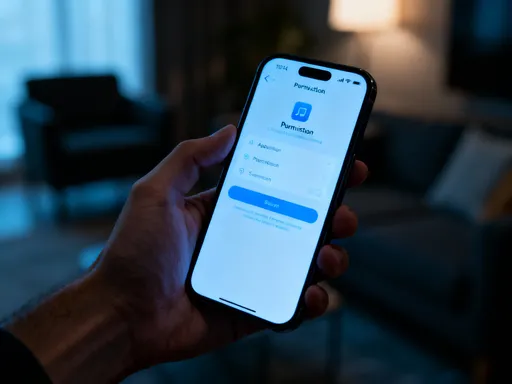
It started with a simple weather app. I downloaded it one rainy Tuesday, hoping to plan my week without getting soaked. But the moment I opened it, a pop-up appeared: "This app would like to access your photos and contacts." My fingers hovered over the screen. Photos? Contacts? Why would a weather app need to know who I’m texting or what pictures I’ve taken? I almost tapped “Allow” out of habit—after all, I’d done it a hundred times before. But this time, something stopped me. A tiny voice in the back of my head whispered, Wait. This doesn’t feel right.
That moment was the first time I truly questioned what I was giving away. Not because I thought the app was evil, but because I realized I had no idea what “allowing” really meant. Was my contact list being sent somewhere? Were my vacation photos being scanned for data? I didn’t know. And worse—I hadn’t even cared until that second. Over the years, I’d said “yes” so many times that the requests had become background noise, like traffic outside a window. I’d stopped seeing them. But now, I was seeing clearly: my phone, this device I used every hour of every day, wasn’t really mine anymore. It was a shared space, and I hadn’t signed the lease.
I remember sitting on my couch, phone in hand, feeling oddly vulnerable. It wasn’t fear, exactly—it was more like confusion, mixed with a quiet anger. How had I let this happen? I’m not a tech expert, but I’m smart. I take care of my home, my family, my time. So why had I let apps sneak into corners of my digital life without asking? That night, I didn’t fix anything. But I did something important: I started paying attention.
What App Permissions Are (And Why They Matter More Than You Think)
Let’s get one thing straight: app permissions aren’t inherently bad. In fact, they’re supposed to protect us. Think of them like keys to different rooms in your house. If you invite a plumber over to fix the sink, you give them a key to the front door. That makes sense. But would you hand over the key to your bedroom drawer or your home safe? Probably not. Permissions work the same way. When an app asks for access to something on your phone, it’s asking for a key. The problem isn’t the request—it’s not knowing what that key unlocks.
So what kinds of “keys” are we talking about? Let’s break it down in real-life terms. Location access is like letting an app follow you around with a GPS tracker. That’s useful if you’re using maps, but less so if you’re checking the news. Camera and microphone access means the app can turn on your lens or listen in—fine for a video call, but strange for a recipe app. Contacts access lets an app see everyone in your address book. Helpful if you’re messaging, risky if you’re playing a game. Photos access? That means the app can scan every picture you’ve ever taken—birthdays, vacations, school plays. Would you let a stranger flip through your photo album? Then why hand over digital access without thinking?
And here’s what most of us don’t realize: these permissions don’t just affect privacy. They impact how your phone feels every day. Apps running in the background, tracking your location or scanning your files, can drain your battery faster. They can trigger notifications you didn’t ask for. They can make your phone feel slow, cluttered, and noisy. It’s not just about data—it’s about your experience. When you say “yes” too freely, you’re not just giving up privacy. You’re giving up peace of mind.
The Hidden Cost of Saying “Yes” Too Quickly
I used to think, What’s the harm? It’s just a quick tap. But over time, I started noticing strange things. I’d mention a product in a private voice memo—say, a new brand of coffee—and suddenly, ads for that exact coffee would pop up on my social feed. I’d open a game and see friend suggestions pulled from my contact list, including people I hadn’t spoken to in years. My inbox filled with “personalized” offers based on things I’d never searched for. Coincidence? Maybe. But the pattern was hard to ignore.
Here’s the truth: when you say “yes” to permissions, you’re not just allowing access—you’re enabling behavior. An app with location access might track your movements even when you’re not using it, building a map of your daily routine. A flashlight app with microphone access? It could technically record audio in the background (yes, some have tried). Even something as simple as photo access can lead to targeted ads based on what’s in your pictures—like a vacation spot you haven’t told anyone about yet.
And it’s not just about ads. I once downloaded a fitness tracker that asked for my calendar, contacts, and location. I allowed it, thinking, It’s for my health, right? But soon, I started getting workout reminders at 6 a.m., meeting invites from the app’s social features, and ads for gyms near my home. My phone, which was supposed to help me feel stronger and more in control, was now making me feel overwhelmed. The app wasn’t malicious—it just had too many keys. And I’d handed them over without thinking.
The real cost of saying “yes” too quickly isn’t just privacy loss. It’s the slow erosion of your autonomy. It’s your phone making decisions for you—what to show, when to notify, who to suggest. It’s the feeling that you’re being watched, even when no one’s there. And the scariest part? Most of it happens silently, in the background, while you’re just trying to live your life.
How Cleaning Up Permissions Gave Me My Phone Back
The turning point came on a quiet Sunday morning. My daughter was drawing at the kitchen table, my coffee was warm, and I was scrolling through my phone—again—when I realized I didn’t even know half the apps on my home screen. That’s when I decided: I was going to take back my phone. Not by deleting everything, not by going off-grid. Just by spending one hour reviewing what I’d allowed.
I went into my settings and found the permissions section. On iPhone, it’s under Privacy & Security; on Android, it’s under Apps & Notifications, then Permissions. I started with location. Dozens of apps had access—games, shopping apps, even a PDF reader. I turned off location for everything that didn’t genuinely need it. Then I moved to photos. A calculator app? Why did it need my photo library? A weather app? Nope. I revoked access one by one.
What surprised me most wasn’t the list of apps—it was how I felt afterward. Lighter. Calmer. It was like I’d cleaned out a closet I hadn’t opened in years. The clothes were still there, but the clutter was gone. My phone didn’t look different, but it felt different. Notifications slowed down. Battery lasted longer. I stopped seeing ads for things I’d only mentioned in private conversations. It wasn’t magic—it was intention.
That one hour didn’t just fix my phone. It changed my relationship with it. I stopped seeing my device as something that happened to me and started seeing it as something I could shape. I realized I didn’t have to accept every request. I could say no. I could change my mind. And that small act of control—revoking a few permissions—gave me back a sense of ownership I didn’t know I’d lost.
A Step-by-Step Guide to Taking Back Control (Without Tech Stress)
If you’re thinking, This sounds great, but I’m not tech-savvy, I get it. That’s exactly how I felt. But here’s the good news: cleaning up permissions is easier than you think. You don’t need to be an expert. You just need 30 to 60 minutes, a quiet space, and the willingness to ask one simple question: Does this app really need this access?
Let’s walk through it together. First, open your phone’s settings. If you’re on an iPhone, tap Privacy & Security. You’ll see a list of permission types: Location, Photos, Camera, Microphone, Contacts, and more. Tap each one. You’ll see which apps have access. For each app, ask yourself: When do I use this app? What does it need this permission for? Maps needs location—that’s fair. A notes app? Probably not. A game asking for your microphone? Unless it’s a voice-based game, that’s a red flag.
On Android, go to Apps & Notifications, then Permissions. You can view permissions by type or by app. The process is the same: review, question, revoke if unsure. And don’t feel pressured to do it all at once. Start with one category—like location or photos. Come back another day for the rest. This isn’t a race. It’s a reset.
Here are a few rules of thumb: Location should only be “While Using” for most apps, not “Always.” Photos access should be limited to apps that actually edit or share images—like social media or photo editors. Contacts should only go to messaging, email, or social apps. Microphone and Camera should be tightly controlled—only apps that truly need them, like video calls or voice recording.
And if you’re ever unsure? Deny it. You can always go back and allow it later. The goal isn’t perfection—it’s awareness. You’re not trying to lock everything down. You’re trying to make conscious choices. Think of it like grocery shopping: you wouldn’t bring home every item on the shelf. You pick what you need. Do the same with permissions.
The Unexpected Perks: More Than Just Privacy
What I didn’t expect was how much better my phone would feel—not just safer, but smoother, quieter, more mine. After cleaning up permissions, my battery lasted noticeably longer. That’s because apps weren’t running in the background, tracking me or scanning files. My phone ran faster. Notifications became more meaningful, less intrusive. I stopped getting spammy suggestions and targeted ads that felt too personal.
But the biggest change was emotional. I felt calmer using my phone. It wasn’t this unpredictable, slightly invasive thing anymore. It was a tool I’d tuned to my life. I started seeing permission management as a form of digital self-care—like tidying your home or setting boundaries with people who drain your energy. It was a way of saying, This is my space. I decide who comes in.
I shared what I’d done with my sister, and she tried it too. Her teenage daughter was shocked when she saw how many apps had access to her photos and location. Together, they cleaned up her phone—and her mom realized she’d been saying “yes” for her child without thinking. Now, they review new app requests together. My mom, who’s in her 70s, even joined in. She didn’t understand all the tech terms, but she got the idea: “If I don’t need it, I don’t give it.” She felt more confident, less anxious about scams or data theft.
That’s when I realized this isn’t just about tech. It’s about values. It’s about intentionality, boundaries, and self-respect. In a world that constantly asks for our attention and data, saying “no” to an unnecessary permission is a quiet act of resistance. It’s a way of protecting not just your privacy, but your peace.
Building a Healthier Relationship with Technology, One Permission at a Time
Here’s what I’ve learned: small choices shape big outcomes. I didn’t fix my digital life in a day. I started with one app, one permission, one “no.” But that small step led to a shift in mindset. Now, when a new app asks for access, I pause. I ask why. I consider what I’m giving up. Sometimes I allow it. Sometimes I don’t. The power is in the pause.
Technology should serve you, not manage you. But that only happens when you’re awake, aware, and in charge. Permissions are one of the few places where you have real, immediate control. No waiting. No tech support. Just you, your phone, and a single tap.
I still use apps. I still download new ones. But now, I do it with my eyes open. I check permissions. I revoke what I don’t need. And I remind myself: this phone is mine. It holds my memories, my family’s photos, my to-do lists, my dreams. It’s not just a device. It’s an extension of my life. And I get to decide who gets in.
So take that hour. Sit with your coffee. Let the kids play. Open your settings. Start small. You don’t have to do it all today. But do it. Because peace of mind isn’t found in the latest gadget or fastest internet. It’s found in knowing you’re in control. And sometimes, that control starts with saying no to a weather app that wants your photos.